Video analytics
Understand what
gets watched.
See which videos get played, how viewing changes over time and where attention drops off.
Built into the Mave player, without tracking cookies or viewer profiles. And open source, so you can check exactly what is measured.
No cookie banner.
Measure without cookies or identifiers. There is nothing to ask consent for.
Open source.
The script in the player and Mave Core, analytics included, are public on GitHub.
Your choice.
Use the Mave dashboard, run Mave Core yourself or turn metrics off.
Useful insights.
For every video.
Analytics are part of the platform. Every video you publish with Mave shows up in your dashboard, and the same data is available through the API.
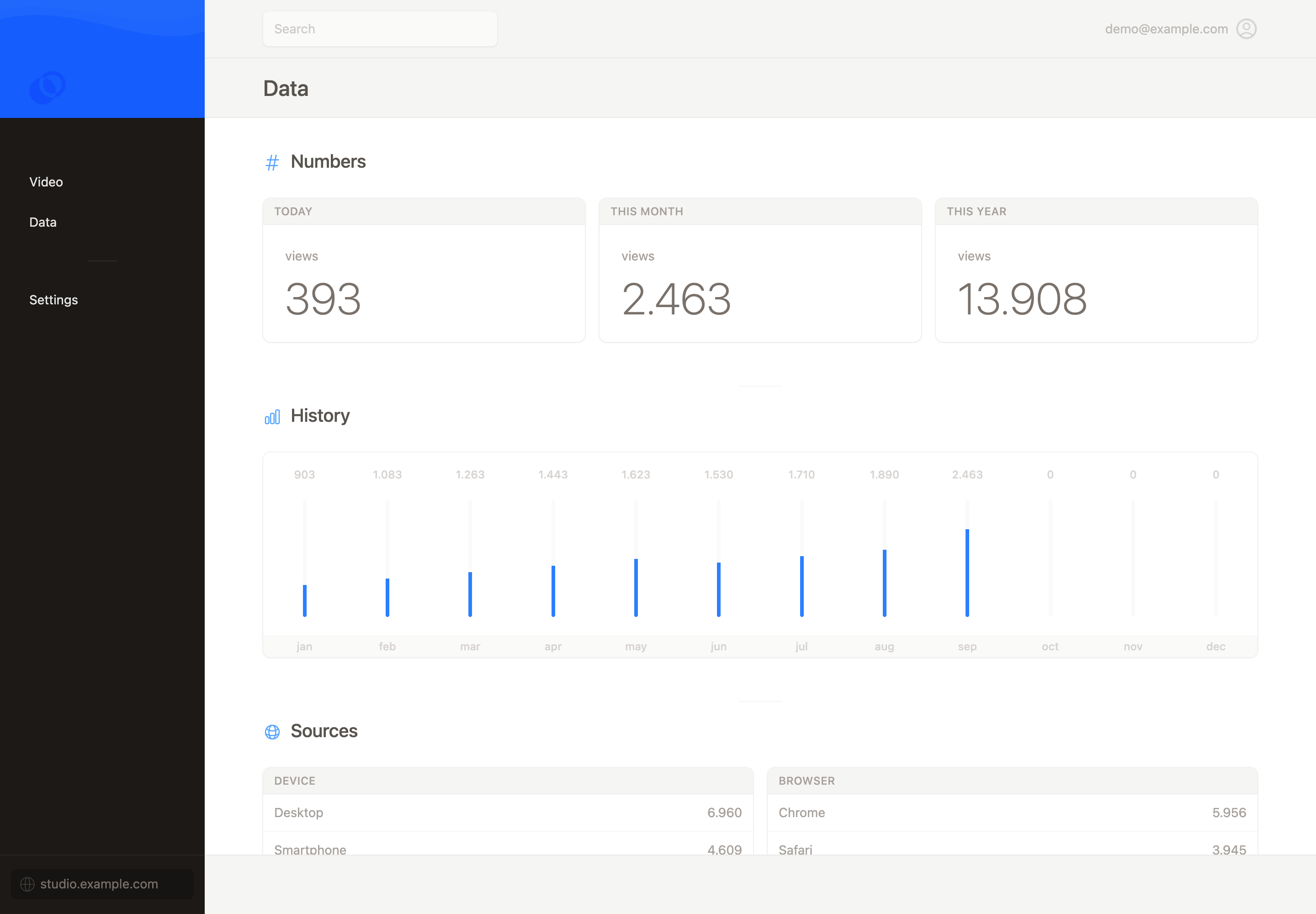
Views over time
See daily, monthly and yearly totals, and compare videos across your library.
Engagement per video
See which seconds are watched and where viewers stop, so you know what to improve.
Where it’s watched
Plays per page or site where a video is embedded, plus the devices and browsers used.
Sessions,
not people.
Every play is a session. Mave records play and pause events together with normalized browser and device data, and never tries to recognize a viewer. Refresh the page and it counts as a new view.
That is why the numbers describe viewing activity, not a count of identifiable people.
Read the metrics documentation →No cookie banner
Metrics work without cookies or identifiers that recognize a viewer, so there is nothing to ask consent for.
No fingerprinting
Browser and device data is normalized before it is stored, so it cannot single out a person.
Hosted in Paris
Mave’s metrics run on Scaleway in France, alongside the rest of the platform.
Read the code.
Run it yourself.
Everything behind Mave’s analytics is open source, from the script in the player to Mave Core. Check exactly what is collected, or keep the data on your own infrastructure.
maveio/core
The whole platform, including the dashboard, API, video processing and analytics. Run it on your own infrastructure.
View on GitHub ↗maveio/data
The client-side package that collects cookieless viewing data in the browser.
View on GitHub ↗Decide where
your metrics live.
Some teams want insights without extra work. Others want the data on their own servers. Mave supports both, and lets you switch metrics off entirely.
Use the Mave dashboard
Insights appear in your dashboard and through the API, hosted in Europe.
Run Mave Core yourself
Host the whole platform, analytics included, on your own infrastructure.
Turn metrics off
Disable metrics for all Mave elements on your site. No viewing data reaches Mave.